If you’ve ever stood in the lighting aisle — or scrolled through a product listing late at night — wondering whether rechargeable under-cabinet lights are actually worth it, or just another battery-powered thing you’ll forget to charge, you’re in exactly the right place. Rechargeable under-cabinet lights are LED fixtures that mount beneath your upper cabinets using adhesive or magnetic brackets, run on a built-in battery, and illuminate your countertop without any hardwired electrical work. No electrician, no permit, no conduit. For a kitchen renovation, a rental flip, or a quick cosmetic upgrade, they’re a genuinely compelling option. The catch? Charging. Specifically, how you charge them — one unit at a time with individual USB cables, or all at once through a centralized docking station — turns out to matter a lot more than the spec sheets suggest. This article breaks down that tradeoff with real owner data, published guidance from authoritative editorial sources, and clear decision rules so you can buy with confidence.
| EDITOR'S PICKEZVALO 6-Pack Under Cabinet Lig… | Mid-tierMCGOR 14.7inch Under Cabinet Li… | Budget pickMCGOR 10inch Under Cabinet Ligh… | |
|---|---|---|---|
| Battery | 2000mAh | — | — |
| Length | — | 14.7in | 10in |
| Pack count | 6 lights | 2 lights | 2 lights |
| Charging dock | ✓ | — | — |
| Remote | ✓ | — | — |
| Dimmable | ✓ | 5 levels | 5 levels |
| Price | $39.99 | $23.74 | $15.94 |
| See on Amazon → | See on Amazon → | See on Amazon → |
Why the Charging Method Is the Whole Game
Once you’ve committed to battery-powered under-cabinet lights, the fixture itself becomes almost secondary. Brightness levels, color temperature, and motion sensitivity are close enough across the mid-range field that they rarely make or break a decision. What does make or break the long-term experience — according to aggregated owner reviews and commentary synthesized by outlets including Apartment Therapy and Wirecutter — is the charging ritual.
Think about it from a workflow perspective: you have six lights mounted under your upper cabinets. They need charging roughly every two to four weeks under typical kitchen use. With individual charging, that means six separate detach-charge-remount cycles, each requiring you to locate a USB cable, plug in the unit, wait, and rehang it. Multiply that across a six- or twelve-light install and the friction adds up fast. With a docking station, it’s one trip: pull all six, drop them in the cradle, walk away.
The difference sounds marginal on paper. Owners consistently report it isn’t.
Comparing the Three Main Approaches
The rechargeable under-cabinet light market has largely settled into three tiers based on how the charging system is designed. Understanding which tier fits your install prevents the single most common post-purchase complaint in this category: charging fatigue that turns a convenient product into a chore.
Budget Tier: Individual USB Charging with Basic Indicator
Entry-level rechargeable under-cabinet lights charge one unit at a time via a standard USB cable. The better units in this range include a two-color LED charging indicator — red when charging, green when full — that reviewers consistently describe as genuinely useful rather than gimmicky. Without that indicator, you’re guessing whether a unit has finished charging, which compounds the already-modest friction of managing multiple cables.
Owners who prefer individual charging often point to flexibility: you can charge one unit that’s running low without pulling the whole set. In a six-light install where four lights are in heavy use over the stove and two are barely triggered in a corner, selective charging lets you prioritize without disrupting the lights that are still running. That’s a real advantage in high-use asymmetric layouts.
The honest tradeoff: if you have six or more lights, individual charging eventually grinds on you. Reviewers who praised the indicator LED on their first charge cycle often mention cable management fatigue by month three. Per commentary synthesized across Houzz reader discussions and This Old House reader threads, individual charging works best for smaller installs — two to four lights — or in spaces like closets and pantries where recharge frequency is low enough that the friction never accumulates.

MCGOR
$15.94
In stock on Amazon
Check price on AmazonMid-Tier: Multi-Port USB Hub with Shared Power Brick
A step up from pure individual charging, some mid-tier sets include a multi-port USB hub so you can plug all units into a single power brick simultaneously. This is better than hunting for six separate outlets, but it’s worth understanding what you’re actually buying: each light still requires its own cable connection to the hub. You haven’t eliminated per-unit cable friction — you’ve just consolidated it to one location.
Owners in this tier report the setup feels like a meaningful upgrade on the first charge cycle and like an annoyance by the fourth or fifth. The cables tangle. Units slip off a countertop hub. The improvement is real but incremental. For installs of four to six lights in moderate-traffic kitchens, this tier represents a reasonable middle ground — better than individual charging, not as streamlined as a true docking station, and typically priced accordingly.
Color temperature selection is more common at this tier. A four-pack generic unit with a three-color-temperature selector — warm amber, neutral white, cool white — has earned specific praise from buyers with specialized needs, including a reviewer whose special-needs child requires warm amber lighting throughout the house. That reviewer noted explicitly that the three-color-temp option made these lights usable where single-temperature alternatives were not. Per Family Handyman’s under-cabinet lighting installation guide, color temperature in the 2700K–3000K range is generally recommended for residential kitchens; anything above 4000K can feel clinical in a home environment. If color temperature is a non-negotiable for accessibility, medical sensitivity, or design specification, it belongs higher in your decision hierarchy than charging system design.
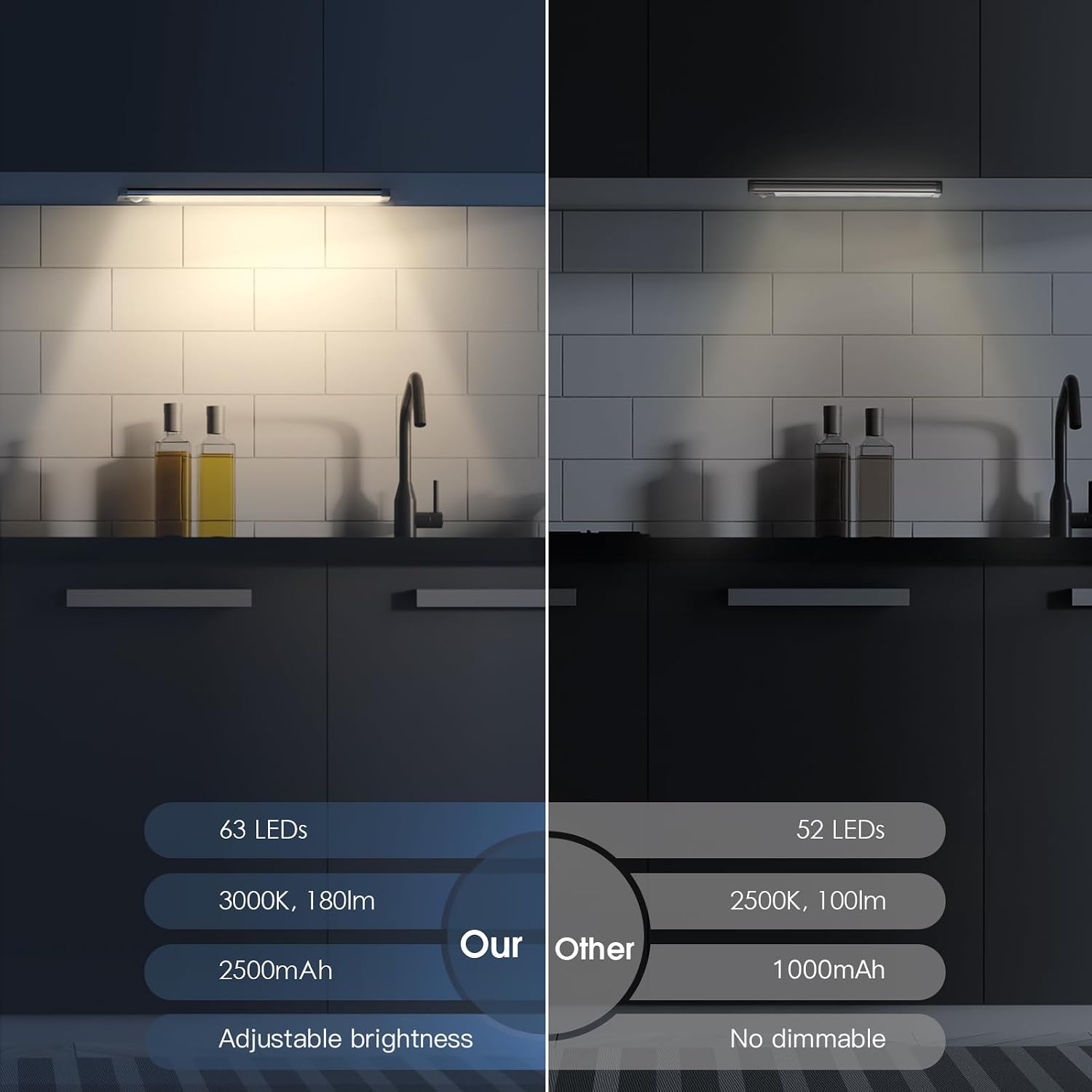
MCGOR
$23.74
In stock on Amazon
Check price on AmazonPremium Tier: True Docking Station with Simultaneous Charging
The premium approach — exemplified by the EZVALO 6-pack — replaces per-unit cable connections with a dedicated charging cradle that charges all six units simultaneously, not sequentially. This distinction matters because some competing “stations” are really just multi-port USB hubs that still require individual cable connections. A true docking station uses contact pins or a cradle slot: you drop the lights in, they charge, no cable per unit required.
The docking station is — without exaggeration — the single most-praised feature in the EZVALO owner review corpus. Multiple verified purchasers specifically call out the station rather than the light output or the motion sensor as the reason they recommend the product. One pattern that recurs across reviews: buyers who purchased a second set report that confirmation of simultaneous (not sequential) charging was the deciding factor.
What the docking station actually eliminates is the per-unit USB cable friction: the hunting, the plugging, the leaving half your lights mounted while the others charge. Owners describe the workflow as genuinely mindless — detach all six (magnetic mounts release in under a second per unit, per multiple reviewers), drop them in the cradle, plug in one cable, done.
Owner-reported charging patterns for premium docking-station sets:
- Closet or low-traffic installs: approximately four weeks between charges on motion mode
- Busy kitchen with frequent motion triggers: approximately ten to fourteen days between charges
- Full charge time for the complete set in the docking station: approximately two to three hours (per owner reports; confirm current manufacturer specs at point of purchase)
The tradeoff is physical bulk. You need a dedicated spot — a drawer, a countertop corner, inside a cabinet — to park the station between charge cycles. For a flip or rental property where minimizing owner involvement is the priority, that’s a non-issue. For a small galley kitchen with zero surplus drawer space, it’s worth accounting for before you order. Wirecutter’s coverage of the broader battery-powered lighting category notes that cradle-based charging systems consistently score higher on long-term owner satisfaction than cable-dependent alternatives, particularly in households where the lights are used daily.
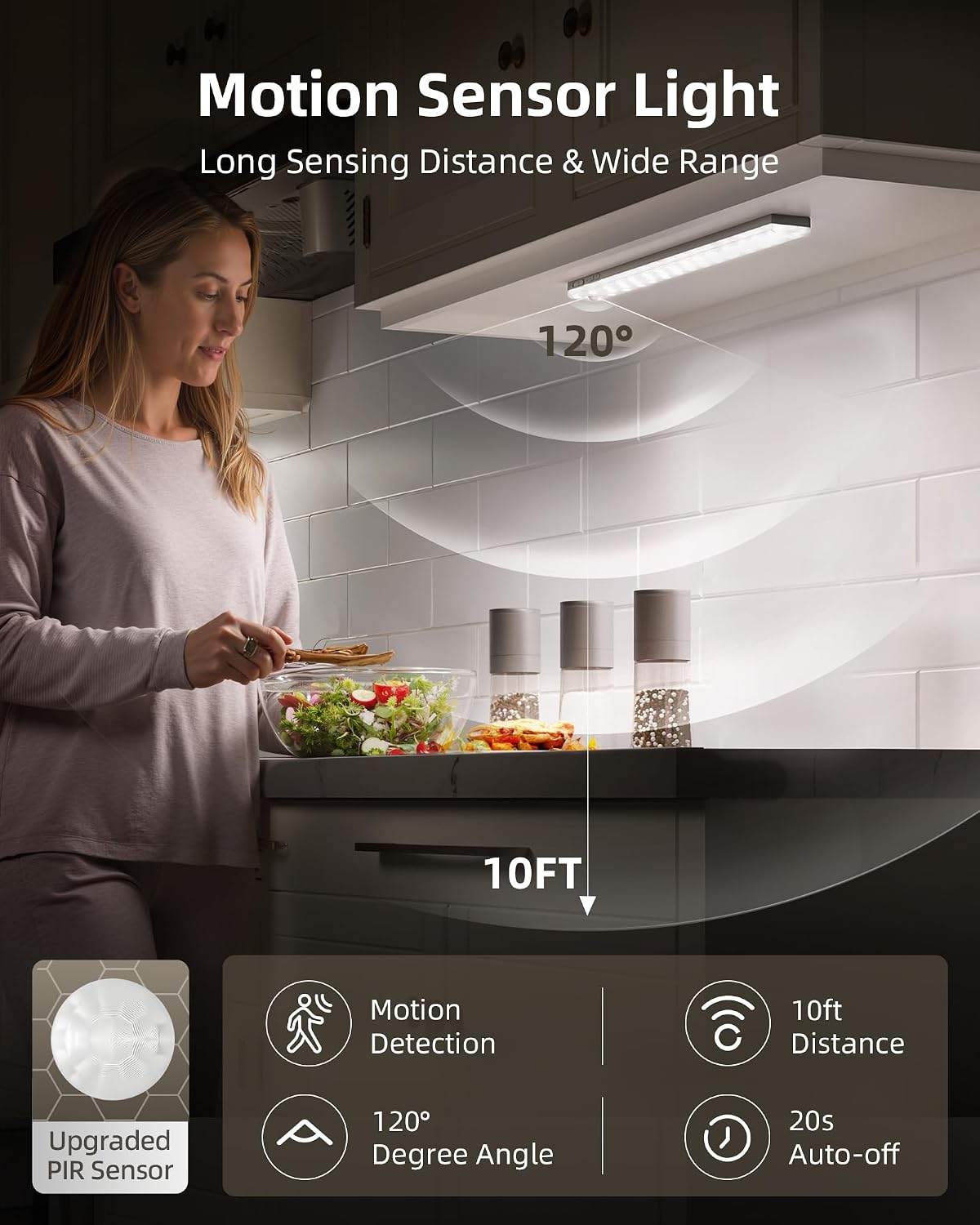
EZVALO
$39.99
In stock on Amazon
Check price on AmazonMotion Sensor Behavior: The Variable Nobody Prices In
Battery life complaints across rechargeable under-cabinet lights are real — but they’re almost always context-dependent. Reviewers in low-traffic areas (closets, hallways, pantries) consistently report excellent longevity, with some noting a full month between charges on motion mode. Kitchen installs that trigger the sensor dozens of times per day see battery drain that surprises first-time buyers.
This pattern appears across every brand in this category and should be priced into your purchase decision. The math is simple: motion-triggered lights draw power every time they activate, hold, and fade. A kitchen where someone walks past the counter twenty times a day is not the same load as a closet opened twice a day. Apartment Therapy’s review of under-cabinet lighting options notes that motion-sensor battery life figures published by manufacturers typically reflect low-traffic test conditions, not busy residential kitchens — a meaningful gap when you’re planning charge frequency.
If your install is in a high-traffic kitchen, plan on biweekly charging and choose your system accordingly. Biweekly charging with individual cables is exactly the friction pattern that drives owner frustration and negative reviews in this category. Biweekly charging with a docking station is a two-minute task.
The Decision Frame: If X, Then Y
Here’s the honest routing logic based on owner reviews and published guidance:
If your install is five or more lights in a busy kitchen: The docking station is the right call. Charging frequency is high enough that individual cable friction compounds into a real nuisance, and the one-cradle workflow removes the operational drag entirely.
If your install is two to four lights in a low-traffic space (pantry, closet, hallway): Individual charging with a quality indicator LED is entirely manageable. Charge cycles are infrequent enough that the flexibility of selective charging outweighs the docking station’s convenience.
If you’re managing a flip or rental property and your goal is maximizing tenant ease or minimizing your own involvement post-install: the docking station wins on simplicity regardless of light count. One charging ritual is easier to explain to a tenant or leave instructions for than six individual cables.
If color temperature is a non-negotiable (accessibility, medical, or design spec): evaluate three-color-temp units first and treat charging system as a secondary criterion. Getting the light quality right matters more than charging elegance.
If you’re a contractor running multiple concurrent installs: standardize on one system. A docking-station set makes homeowner handoff simpler — one device to demo, one workflow to explain, one thing for the client to manage.
Frequently Asked Questions
Can I charge all six lights in a docking station at the same time, or does it charge them one at a time? True docking stations charge all units simultaneously via contact pins or cradle slots. This is a meaningful distinction from multi-port USB hubs, which still require individual cable connections per unit. Confirm simultaneous vs. sequential charging before purchasing any set advertised with a “charging station.”
How often will I need to recharge lights in a busy kitchen? Plan on every ten to fourteen days in a high-traffic kitchen where the motion sensor activates many times per day. Low-traffic installs can stretch to four weeks or more. This pattern is consistent across brands and reflects the cumulative power draw of frequent motion activation, as noted in Apartment Therapy’s under-cabinet lighting coverage.
Does the motion sensor work through cabinet doors or only in open spaces? Motion sensors in this category use passive infrared (PIR) detection, which requires line-of-sight to body heat. They do not reliably trigger through closed cabinet doors. These lights are designed for open countertop zones, open shelving, or interior cabinet spaces with the door open.
Can I run the lights continuously instead of on motion mode, and how does that affect battery life? Most units include a continuous-on mode alongside motion mode. Owners consistently report that continuous-on drains the battery significantly faster — expect runtime to drop to roughly six to ten hours per charge in continuous mode versus weeks on motion mode. Use continuous-on sparingly, or only when the unit is plugged into a USB power source if pass-through charging is supported.
Are the magnetic mounts strong enough to hold the light during normal cabinet use? Across brands, the magnetic detach-to-recharge mechanism is consistently described as secure during normal use. The magnetic hold is designed to release when you intentionally pull the light for charging — firm enough for incidental contact, but not rated as a permanent fixed mount. Per Family Handyman’s installation guidance for adhesive-backed cabinet fixtures, allow the adhesive backing to fully cure — typically 24 to 72 hours after installation — before subjecting the mount to repeated contact or heavy use.